
- Buy Crypto
- Markets
- Futures
- Spot
- Copy Trade
 WE-Launch
How WEEX’s New Web Trading Architecture Delivers Faster, Smarter, and More Efficient Crypto Trading


WEEX has fully rebuilt its web trading page with a brand-new architecture—delivering faster load times, greater long-session stability, and a fully customizable modular layout. Whether you’re a quant, a day trader, or a beginner, the new interface offers a smoother, more intuitive experience with significantly lower resource usage.
WEEX Web Trading Upgrade: Key Highlights
- Customizable Layout
Freely drag, resize, and arrange all functional panels. Combine K-line charts, order books, trade panels, and order modules to create a trading workspace that fits your style. - Comprehensive Performance Boost
Enjoy faster first-screen loading and quicker, more reliable data updates across charts, order books, and tickers—along with sharply reduced interaction latency. - Lightweight, Stable, and Low Footprint
Optimized memory and CPU usage ensure smooth, long-duration performance — even when running multiple windows and multiple trading pairs simultaneously.
How to Use Customizable Layout
1. Adjusting the Layout
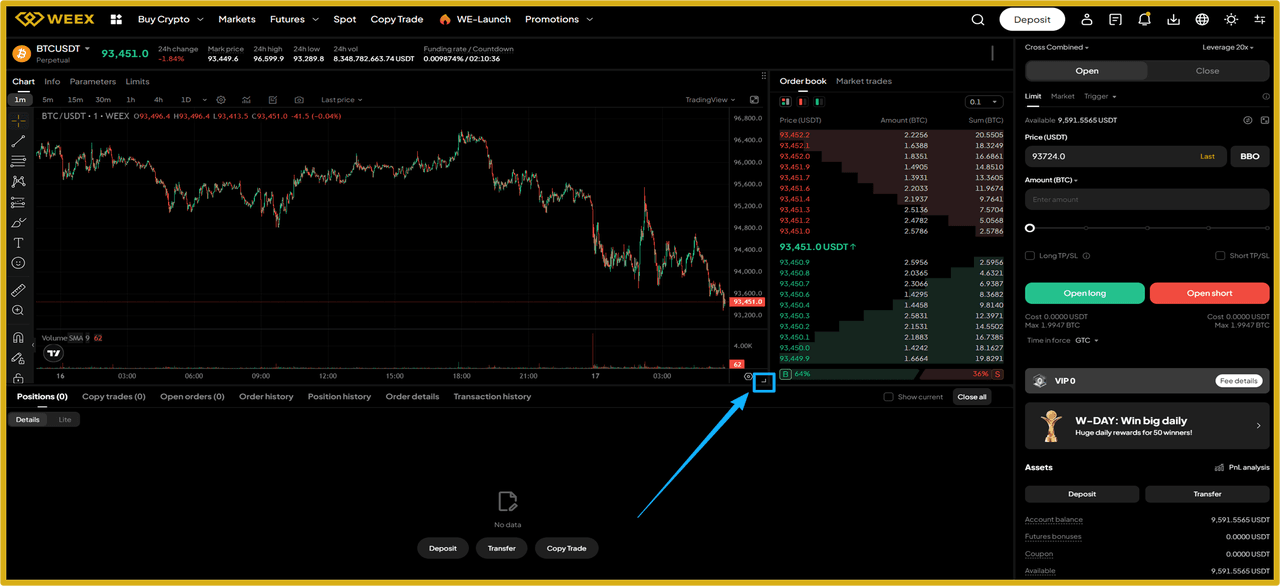
Enter the web trading interface (https://www.weex.com/futures/BTC-USDT), hover over the lower-right corner of any functional panel to click-and-drag to resize, supporting free resizing and repositioning of modules such as K-Lines chart, order book, order placement, and order history.
2.Saving Automatically
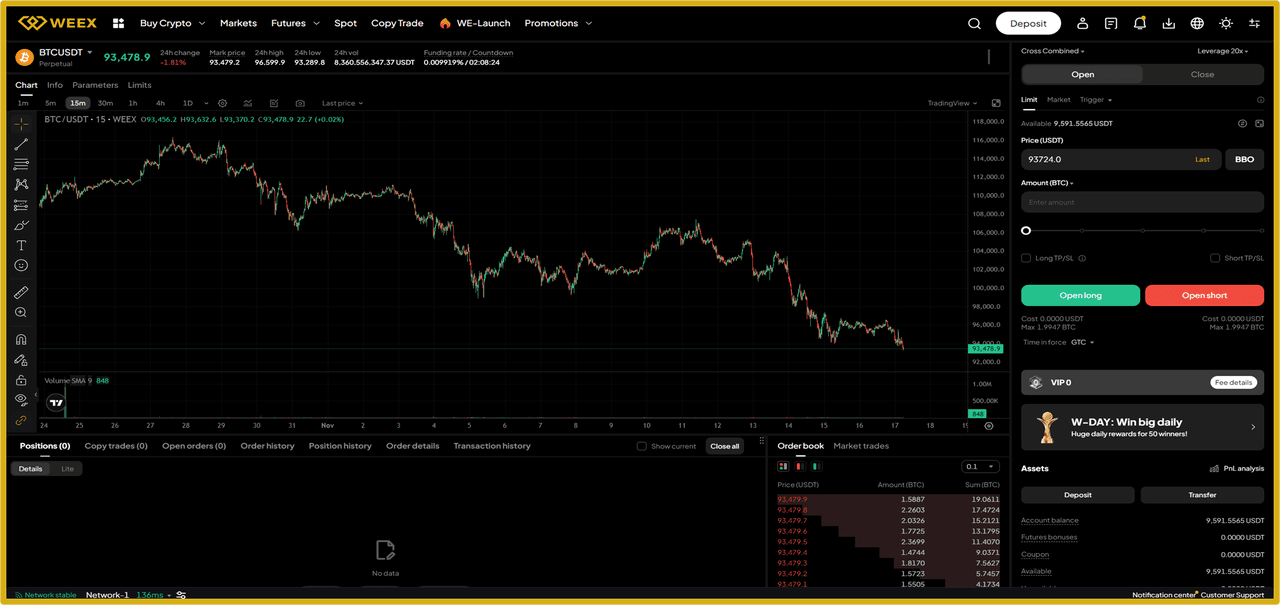
After adjustments, the page automatically saves your customized layout, and the layout remains unchanged even after a refresh.
3.Resetting
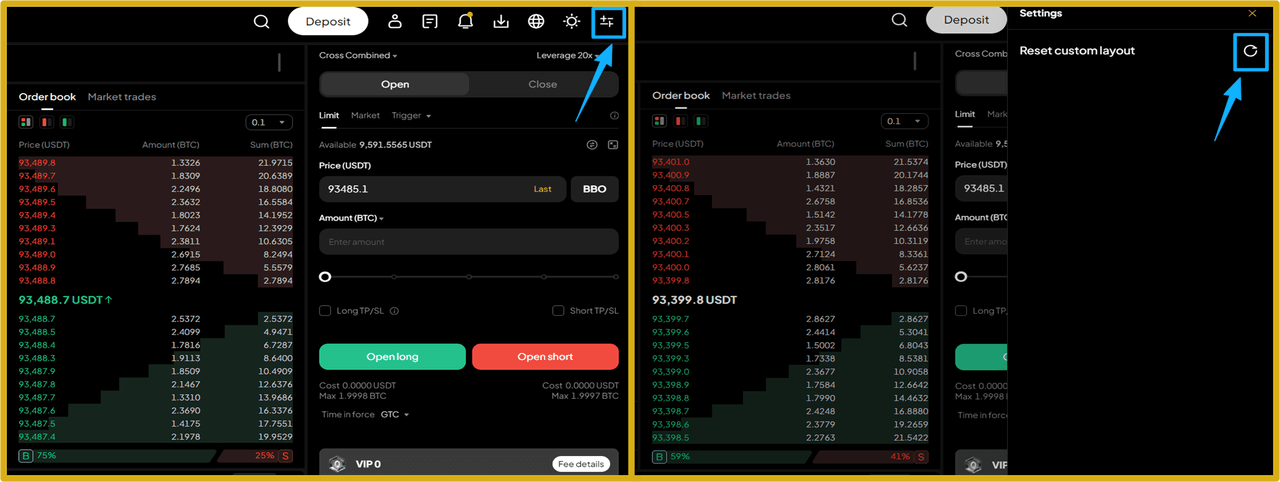
Click the button at the top-right of the trading interface to open “Settings,” then click “Reset custom layout” on the settings page to restore the default layout.
If you have any suggestions or questions, feel free to let us know via “Customer Support”; we’ll keep optimizing to deliver a more efficient and professional trading experience.
Try it now: https://www.weex.com/futures/BTC-USDT
Follow WEEX on social media:
· Instagram: @WEEX Exchange
· X: @WEEX_Official
· Tiktok: @weex_global
· Youtube: @WEEX_Global
· Discord: WEEX Community
· Telegram: WeexGlobal Group


 App
App