
- Buy Crypto
- Markets
- Futures
- Spot
- Copy Trade
 WE-Launch
WEEX OTC Lists 200+ Trading Pairs

Dear WEEXers,
The WEEX OTC platform now supports 200+ new trading pairs, letting you buy crypto directly with your local currency—quick, simple, and secure. Enjoy more payment options and kickstart your crypto journey.
How to buy crypto via Quick Buy
Website
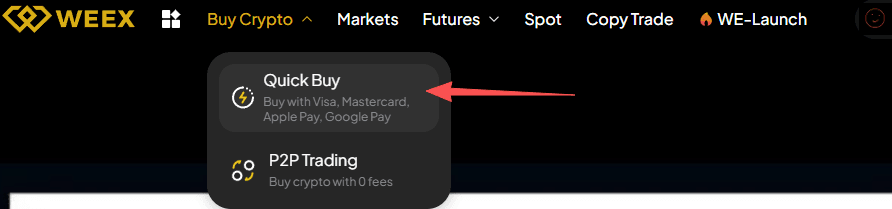
Step 1: Select "Buy Crypto" in the navigation bar, and then click "Quick Buy" to get started.
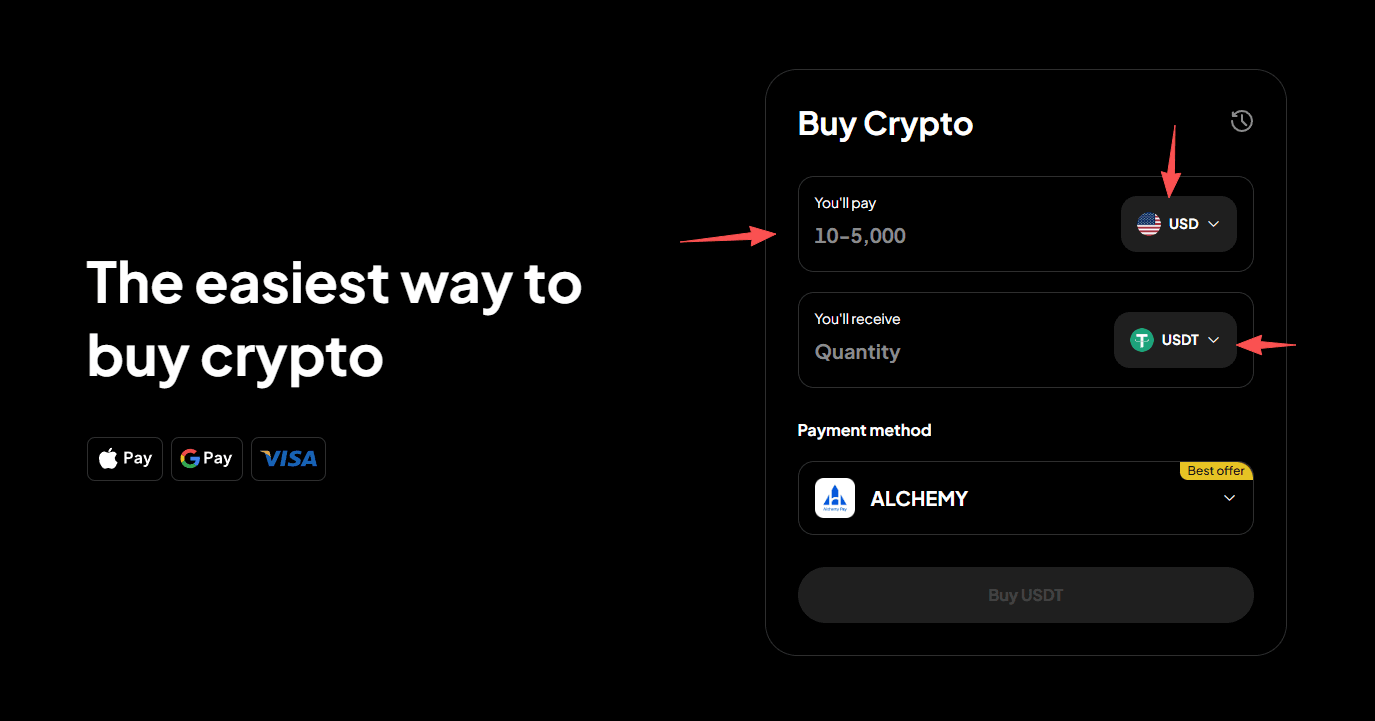
Step 2: Choose your fiat currency and cryptocurrency, and enter a purchase amount. We'll calculate the amount of cryptocurrency you'll get.
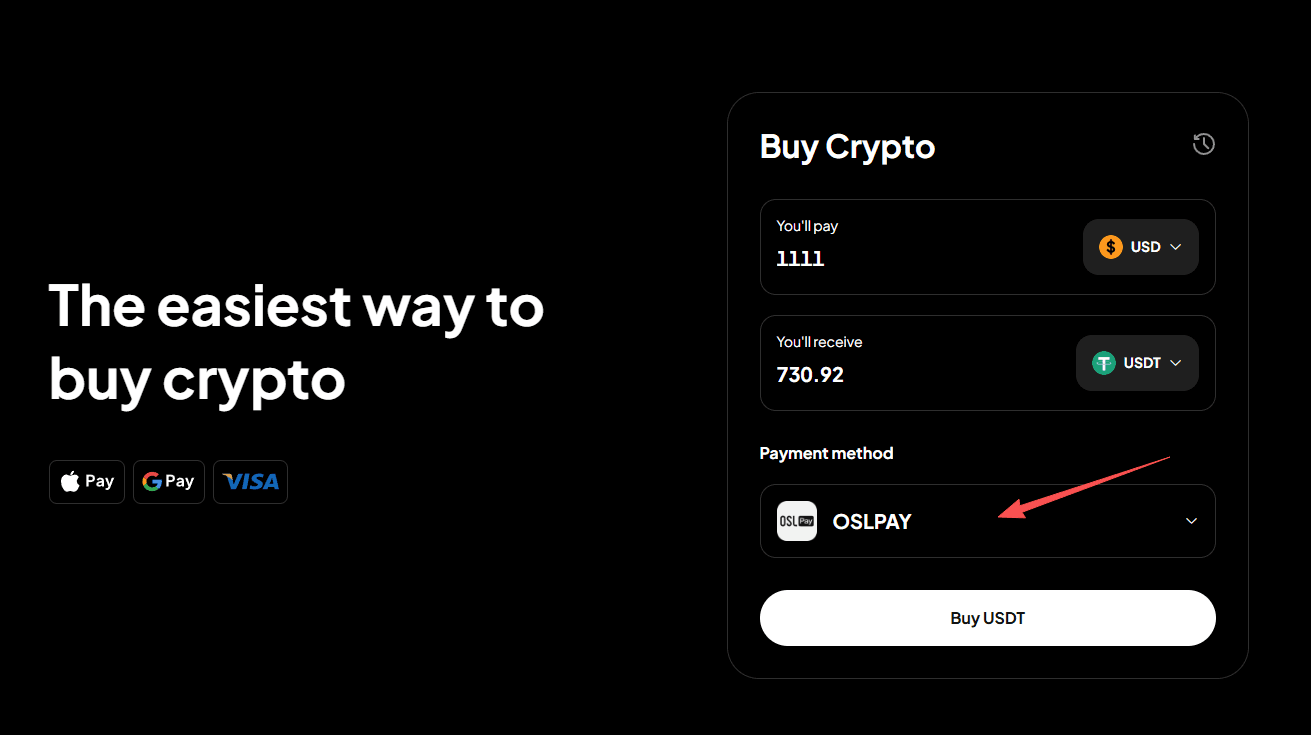
Step 3: Choose your payment method.
Step 4: Click "Buy Crypto" to proceed.
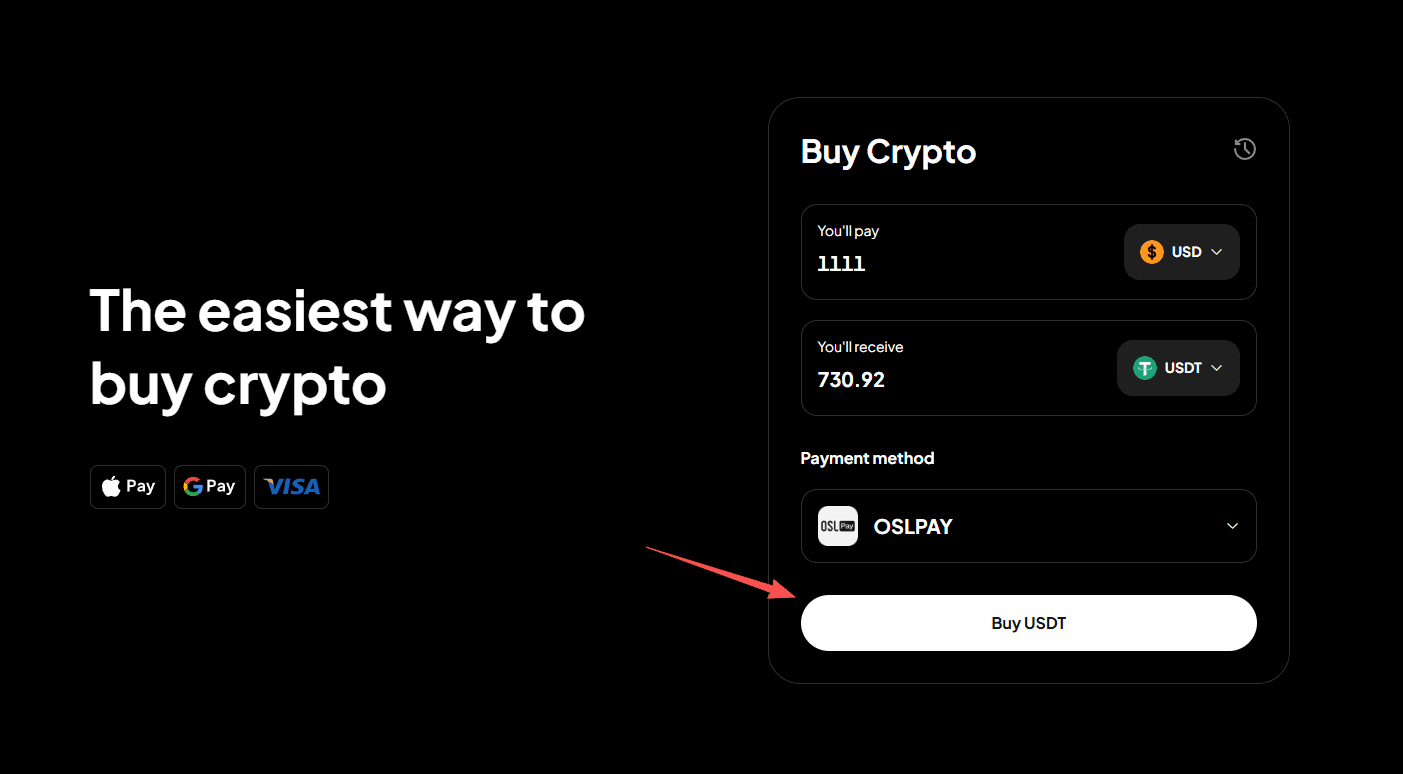
Step 5: Confirm your order details.
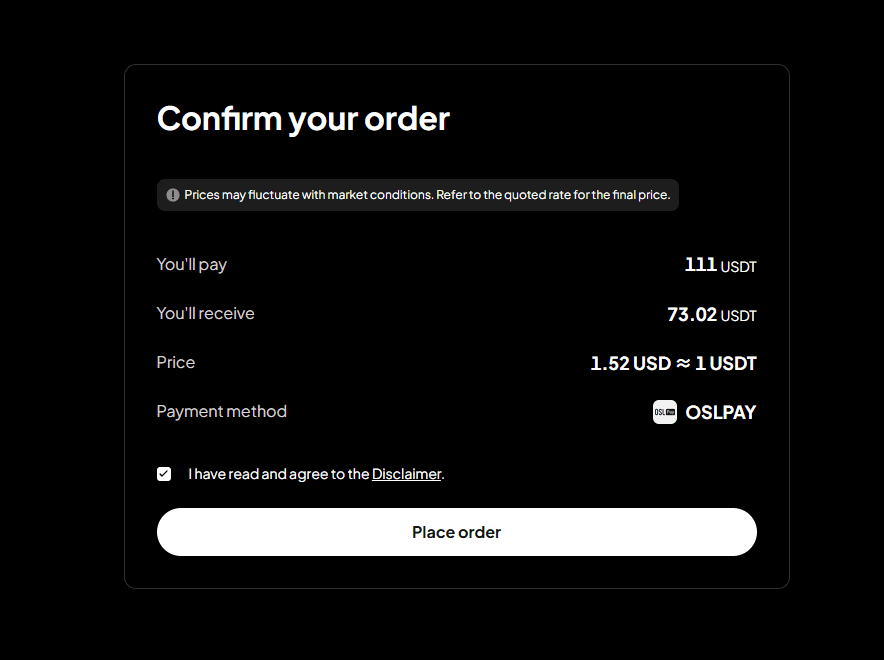
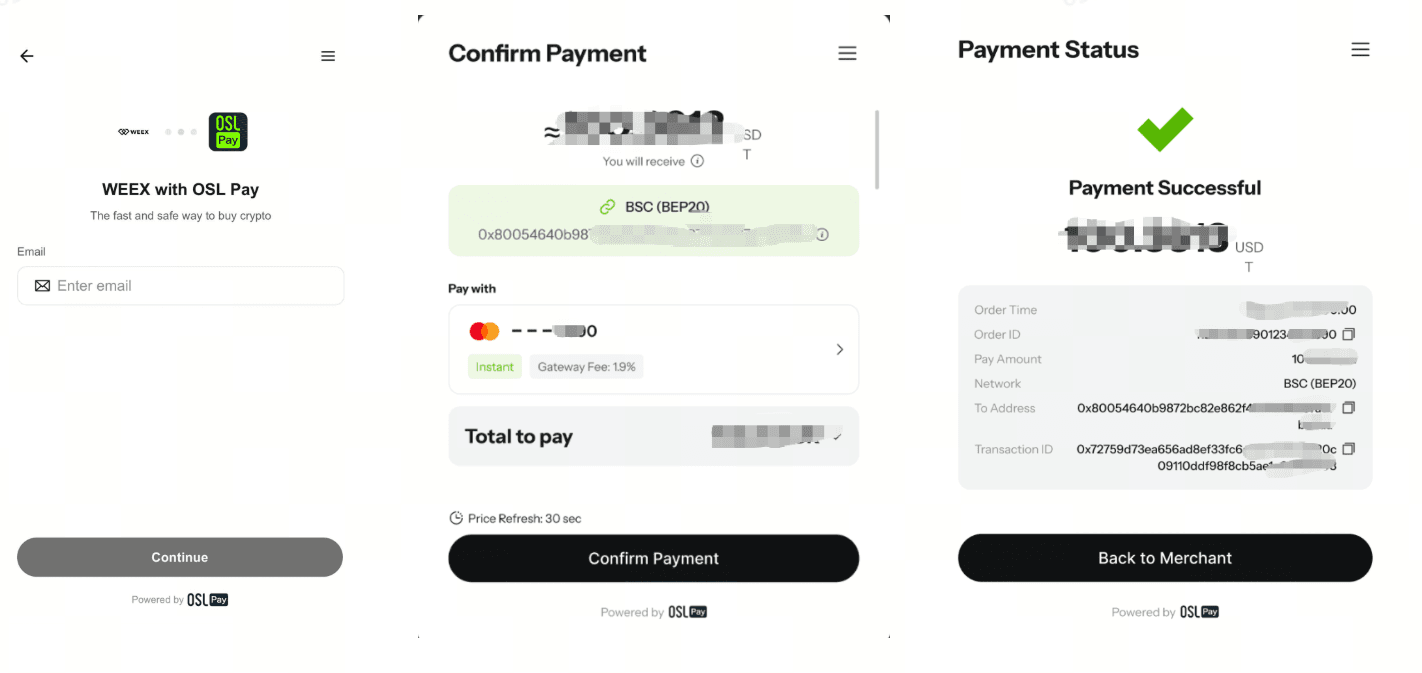
Step 6: You'll be redirected to a third-party payment page. Once payment is made, the order will be completed.
App
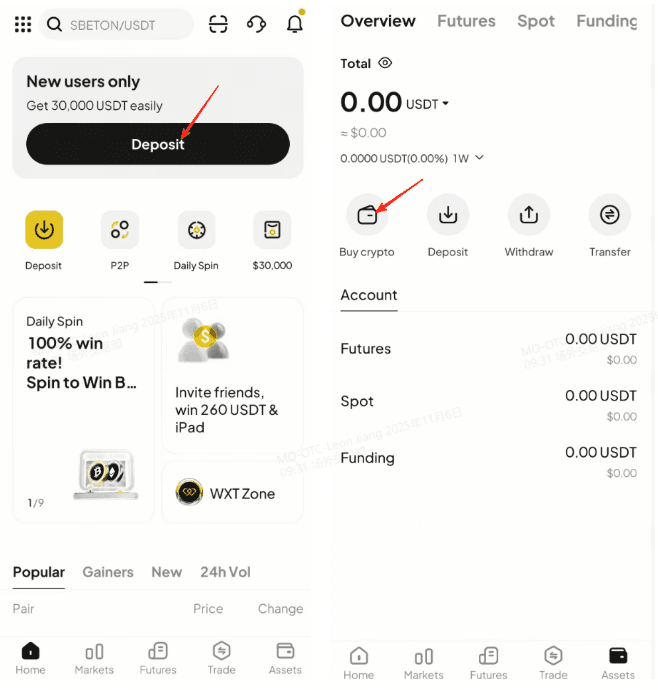
Step 1: From the app homepage, tap "Deposit" or "Assets", then tap "Buy Crypto."
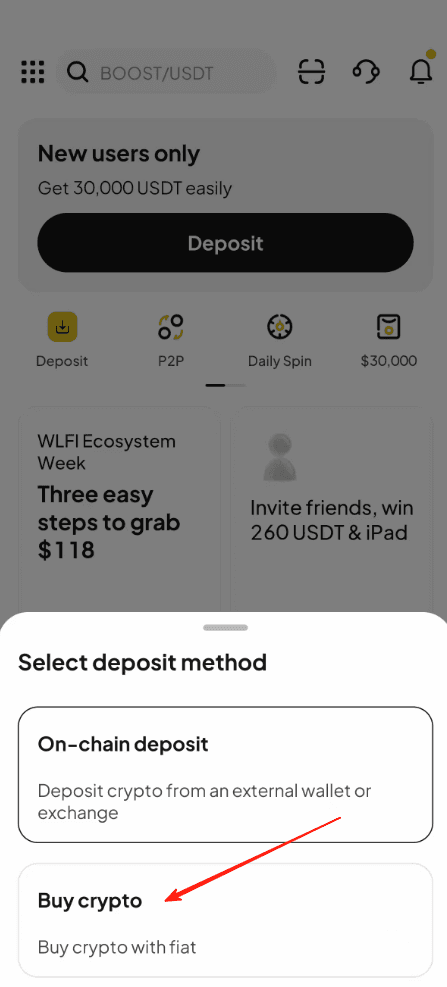
Step 2: Select "Buy Crypto" as the deposit method.
Step 3: In "Quick Buy," select your fiat currency, the cryptocurrency you want to buy, and your payment method.
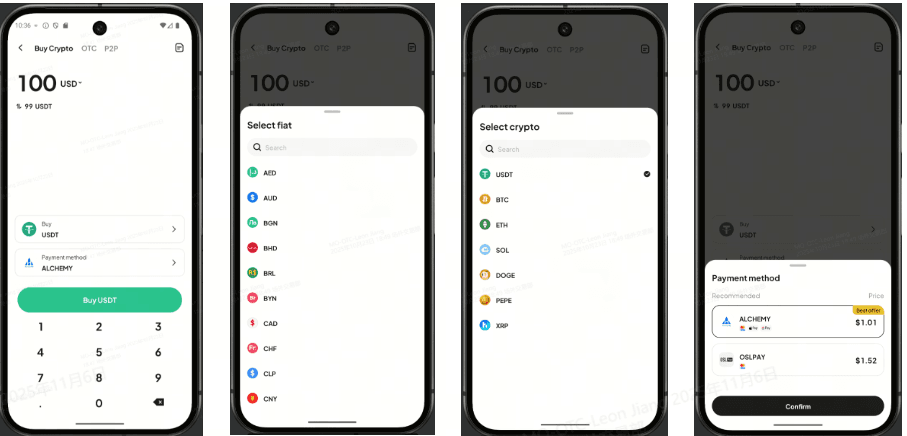
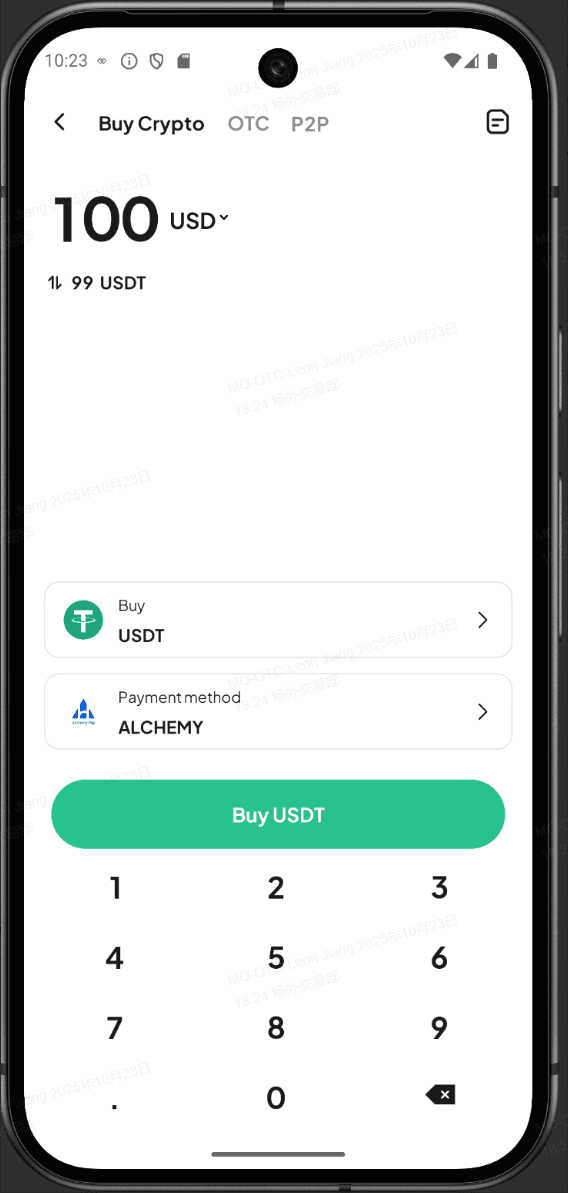
Step 4: Tap "Buy Crypto".
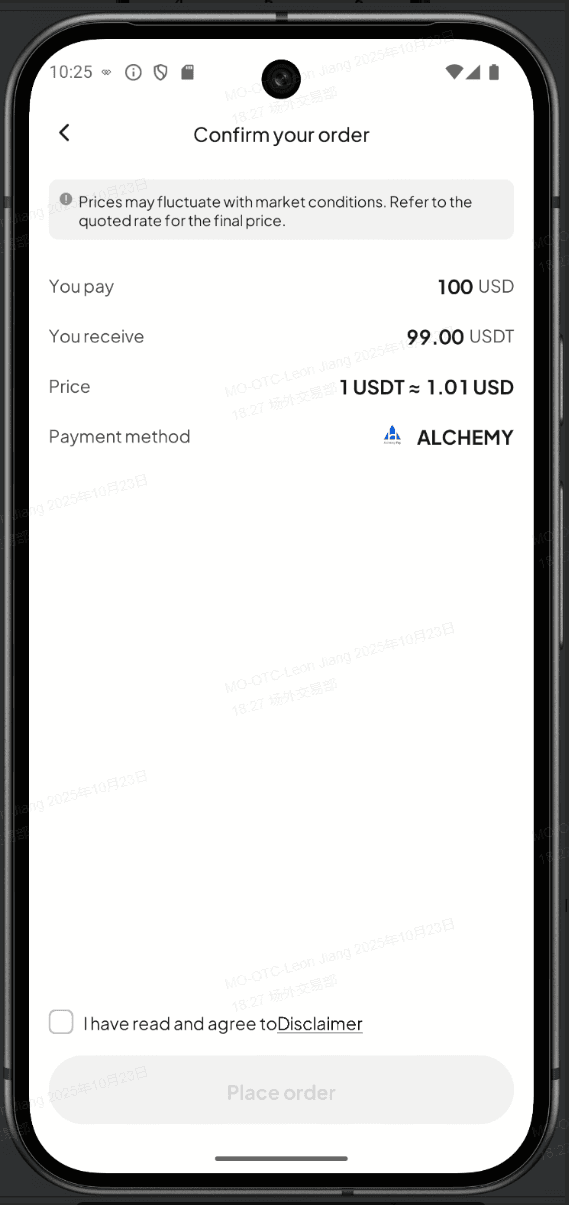
Step 5: Go to the "Order Confirmation" page to confirm your order.
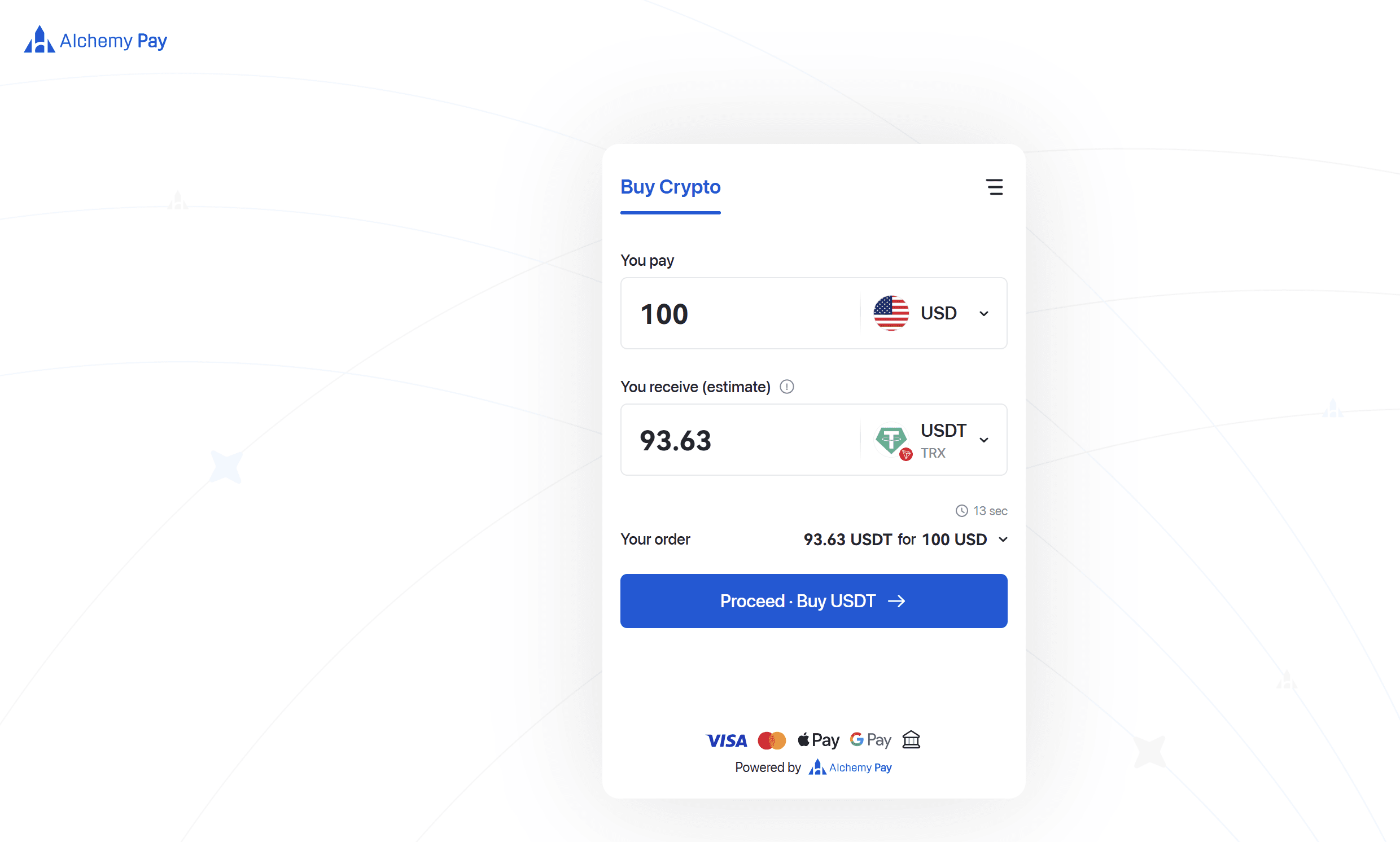
Step 6: You'll be redirected to a third-party payment page. Once payment is made, the order will be completed.
After your purchase is complete, go to the "Assets" tab (bottom-right corner), tap "Buy Crypto," and select the History icon in the top-right corner to view your orders.
This is a general announcement. The features or services mentioned herein may not be available in your region.
This service is provided by a third-party payment provider. WEEX is not responsible for processing these transactions.
Make a fiat purchase
Go to "Quick Buy" and add funds in seconds.
Update your app to version 4.4.20 or higher for a smoother user experience!


 App
App